
NUSTARPH Fishing Game: Why One Clear Lane Changes Everything
Explore NUSTARPH Fishing Game controls, target lanes, cannon settings, screen density and mobile feedback before choosing the official game path today.
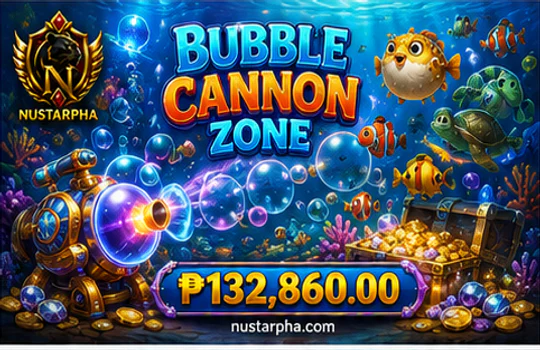
The Clearest Target Is Not Always the Brightest
A quieter open lane may teach more than gold flashes. In NUSTARPH Fishing Game, target direction, overlap and time on screen matter before the first cannon input.
Picture the field opening on your phone. One large target flashes near the edge, another moves behind several effects, and a medium target enters from the left with a long path across open water. The brightest object gets attention first, but the medium target offers more useful information. You can see where it entered, estimate its direction, follow its speed and keep the cannon setting visible while it moves.
This is the One-Lane Test: choose one target whose path remains readable from entry to exit. Do not decide from size or colour alone. Check whether another target may cross the route, whether temporary effects hide the movement and whether the target will remain on screen long enough for one deliberate action. A short or obstructed path can disappear before you have time to aim, confirm the cannon state and read the response.
Long visible path
Direction and speed remain visible, overlap is limited and the target stays on screen long enough for controlled tracking.
Limited decision time
The target appears near a boundary or moves quickly, reducing the time available to align and read the shot response.
Important details disappear
Targets, projectiles or effects cover the route, making manual aim and feedback harder to separate.
The method works especially well after a nustarph game login. Let the field finish loading, confirm the active cannon and current resource setting, then observe before firing. A partly loaded room or delayed selected state does not provide a dependable starting point.
NUSTARPH Fishing Game is active by design, but active does not mean rushed. The first useful result is knowing which lane you can follow and why. No target size, route or visual effect guarantees capture or a favourable outcome; the advantage here is clearer screen understanding.
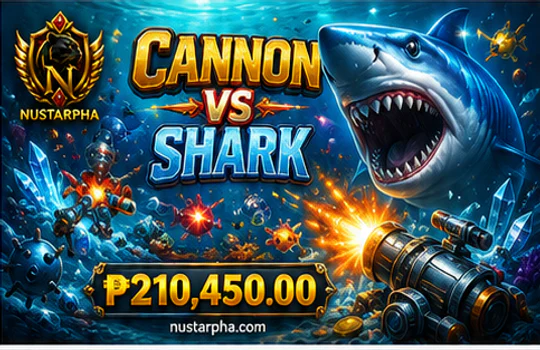
Aim, Track, Fire, Then Read
Once a readable lane appears, complete one input-response cycle. Movement guides the aim point; a measured rhythm keeps the cannon response visible.
Aim
Move toward the target’s expected path, not only the place where it first appeared.
Track
Follow the direction and speed while keeping the active cannon setting in view.
Fire
Use one deliberate input when the lane and visible cost are still understandable.
Read
Pause for the projectile, cannon animation or other game-defined feedback.
The pause is part of the method, not wasted time. Rapid repeated firing can blend several inputs, projectiles and visual effects into one burst. A steadier rhythm gives you a chance to connect the cannon movement with the shot that produced it. It also lets you notice whether a change to cannon level or cost has actually appeared before the next action.
Identify the selected level or equivalent resource control before firing.
Use the amount shown by the current interface instead of estimating it.
Look for the updated number, label or selected state after a control change.
Separate one shot from the next so each interface reaction stays readable.
A registered shot confirms that the NUSTARPH interface received an input; it does not guarantee capture. That distinction matters in any nustarph online game. The useful player gain is being able to describe the action chain: the target moved, the aim followed, the cannon fired and a visible response appeared.

Assistance controls can change how much direct input is required, but they should be described only when the selected NUSTARPH game visibly provides them. A confirmed target lock may help maintain focus, while an automatic mode may reduce repeated taps. Neither removes the need to check the selected target, current cost and active control state.
Crowded Water Changes the Task
When the field becomes busy, the task changes from following everything to protecting one understandable lane.
Separate the display into layers. Foreground targets are the objects currently crossing the most visible route. Background targets may be attractive but harder to track with confidence. Projectiles connect cannon input with visible feedback. Temporary effects add atmosphere but can briefly hide the target path, resource state or control menu.
Prioritise the path that remains clear enough to follow from its current position.
Treat distant or partly hidden movement as context until the route becomes readable.
Use them as feedback that links the cannon with a particular firing action.
Wait when flashes or animations cover essential controls or target direction.
This is where NUSTARPH Fishing Game feels most different from a reel-based title. Motion continues even when you do nothing, so observation remains part of play. The screen may encourage quick reaction, but the One-Lane Test gives you a stable reference: wait, identify a path, confirm the setting and complete one readable cycle.
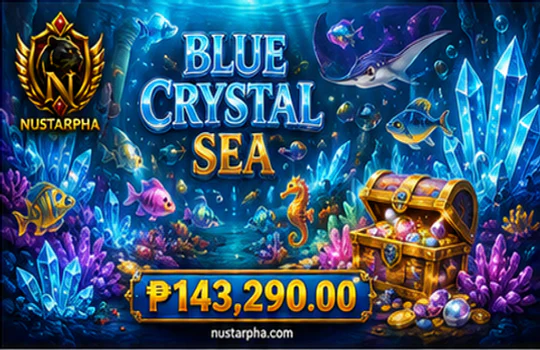
On a small phone, choose the orientation that preserves the whole target field, cannon, firing input and current setting. Small controls should remain separated enough to reduce accidental level, target or menu changes. A tap should create a visible aiming or firing response before you repeat it.
If a nustarph game ph session becomes hard to read after a connection delay, stop input, confirm the current cannon state and reload through the official interface. For an app or APK route, follow only prompts displayed by the current official site. Verify the Android source message, grant only the temporary permission required for installation and return to the official site for updates. When no official download prompt appears, use the mobile web version.
Continue with the Official Fishing Path
You can now turn a colourful field into a simple decision process: find one lane, follow its movement, fire once and read the response before continuing.
Choose by control comfort
NUSTARPH Fishing Game suits players who enjoy direct aiming, moving targets and continuous screen reading.
Know the first-session result
You should be able to explain which lane was readable, how the cannon responded and which rhythm felt comfortable.
Switch when the style does not fit
Use the internal guides when completed reels, event information or dealer-led rounds better match the interaction you want.
Direction, speed, overlap and screen time shape readability.
Keep the current cannon level and visible cost understandable.
Separate each input from the next through a measured pause.
Do not force manual aim through a field that hides essential information.
No target type, cannon setting, assistance mode or firing rhythm guarantees a favourable outcome. The value of this method is control awareness. A visitor using a nustarph game route can leave the first session knowing whether manual tracking, confirmed assistance or a slower rhythm feels most readable.
The complete NUSTARPH Fishing guide expands this field-note method with cannon settings, resource rhythm, assistance controls, mobile recovery and category fit. You can also compare Fishing with NUSTARPH Slots, review NUSTARPH Live Casino pacing or compare every NUSTARPH game category.
New registered members can receive a registration reward of up to ₱888, subject to current eligibility and activity terms. A qualifying first deposit can receive an extra reward equal to 100% of the eligible amount, subject to current wagering and withdrawal conditions. These account values do not guarantee profit, but the NUSTARPH Promotion guide shows where to verify them before proceeding.
Before opening the official route, run one final phone check. Complete the nustarph game login shown on the current page, confirm that the target field loads without hidden controls and keep the first cannon setting stable. In a nustarph online game, a clean selected state is more useful than a fast series of taps. The NUSTARPH Fishing Game should let you see the aim response, projectile path and current cost without changing screens. If you entered through a nustarph game ph search, verify the official domain and use the page’s displayed access prompt rather than an copied download source. This final check gives the next session a clear purpose: test one lane, complete one response cycle and decide whether the control style suits you. When it does, the NUSTARPH Fishing Game feels active without becoming confusing.
Open the Official NUSTARPH Fishing Path
The One-Lane Test, cannon check and screen-density method are already clear. Open the official NUSTARPH registration path when you are ready to apply those habits to the current Fishing experience.
Open the Official NUSTARPH Registration Path
Use the selected game’s current rules and visible interface as the final source for cannon settings, costs, target features and available control modes.